Window display planning guide

Choosing window displays for your real estate agency

The right display starts with the right questions.

Choosing a window display involves more than comparing products. The people passing your agency, the conditions inside the window, your marketing strategy, available space and installation requirements all influence which display system will work best.

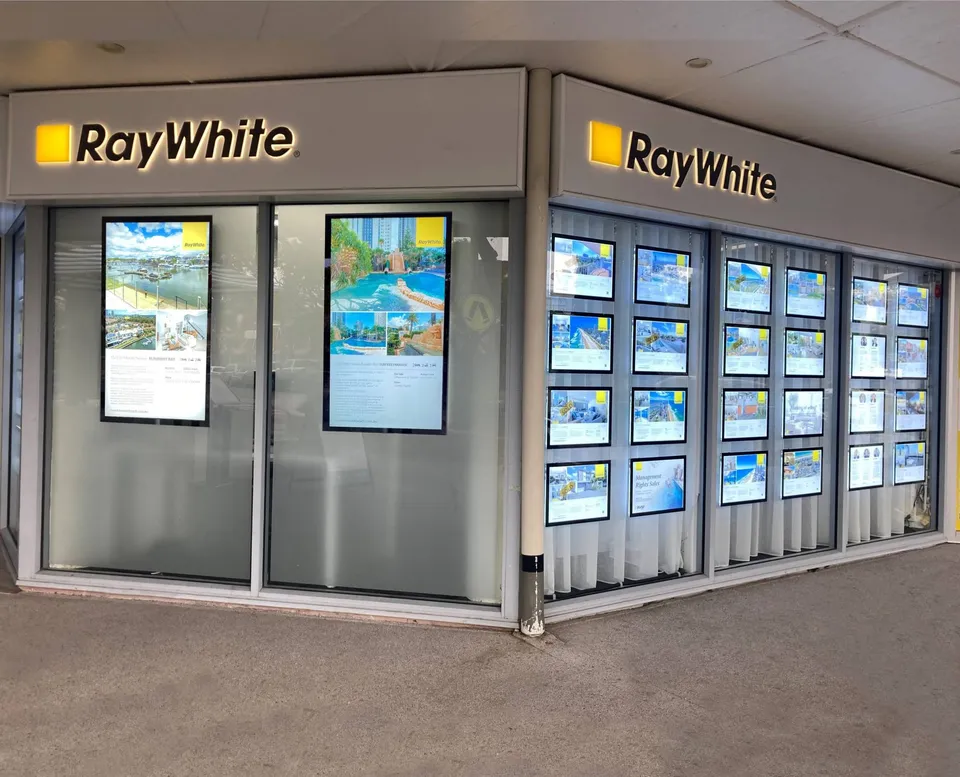
Ray White Main Beach shopfront with illuminated property cards and digital screens
Ray White Main Beach · LED Slimline and digital screens

Our five-stage assessment

Before recommending a display, we ask the right questions.

Who passes your window? How much sunlight does it receive? What do you want people to see, and from how far away?

We consider these questions, along with your available space, budget and installation requirements, to recommend a display solution that works for your agency.

Step 1 – Identify your audience

Who is actually passing your agency?

Before choosing a window display, establish who your primary audience is. Are most people passing your office on foot, or are they driving past?

There’s a simple way to find out. Stand outside your agency and count the passing pedestrians and vehicles over a representative period. Repeat the exercise at different times of day if traffic patterns vary.

If most of your audience is travelling by car, your display needs to communicate quickly and be recognisable from a distance. Large-format digital displays with bold, simple messaging are generally better suited to this environment than individual printed property cards.

If pedestrian traffic dominates, people have the opportunity to stop and examine individual listings. High-quality illuminated property cards and displays designed for close-range viewing become much more valuable.

Think beyond the view from your front door.

Walk past your agency from both directions. Look at your window from across the street, then consider what a passing motorist can see. What catches your attention? What can you actually read?

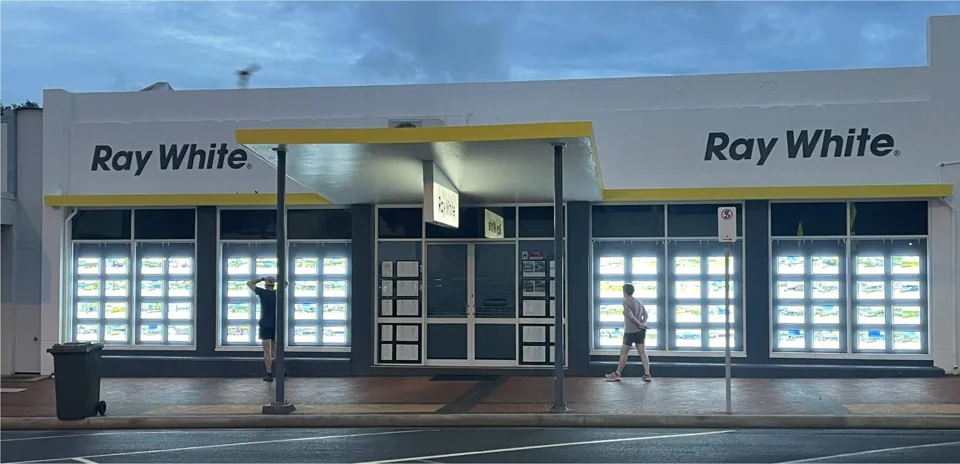
Pedestrians walking past a Ray White window of illuminated property cards at footpath level
Mostly on footPeople walking past can stop and read individual listings at close range.
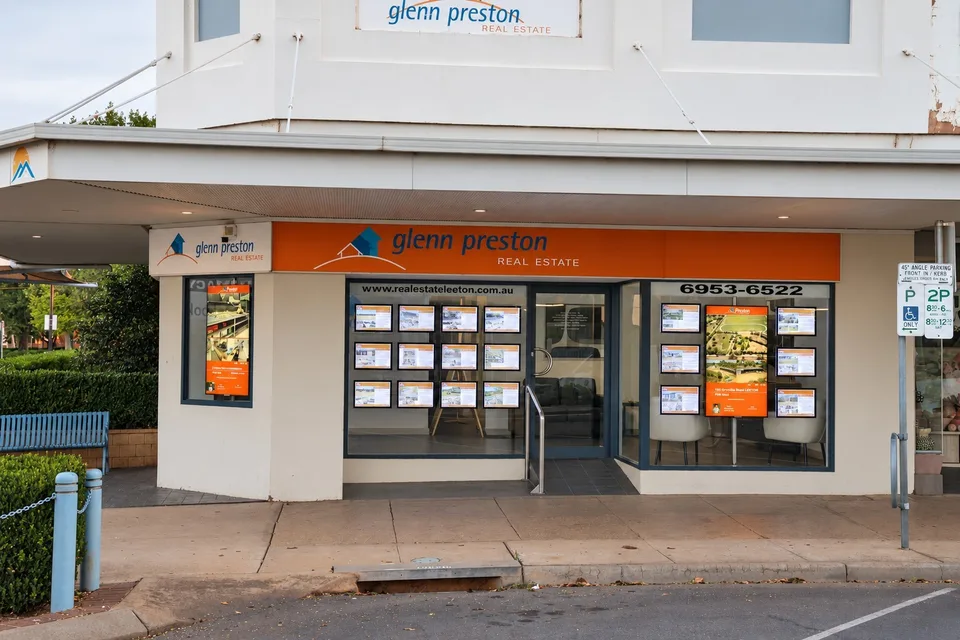
Glenn Preston Real Estate, Leeton, seen from across the street: two portrait digital screens among property cards
Seen from a distanceFrom across the street, individual cards are hard to read; larger screens and bold messages stay recognisable. Glenn Preston Real Estate, Leeton.

Step 2 – Assess the environment

Sunlight, heat and reflections matter more than most people think.

Two identical shopfront windows can require very different displays depending on their orientation, exposure to sunlight and surrounding environment.

There are two important considerations:

Visibility. Bright daylight, glare and reflections can make screen content difficult to see. The display needs sufficient brightness to remain clearly visible from the street.

Operating conditions. Direct sunlight can cause significant heat build-up behind shopfront glass. Even a screen that’s bright enough to be seen may not be designed to withstand the temperatures and solar exposure it encounters.

A high-brightness LCD isn’t automatically suitable for every sun-exposed window.

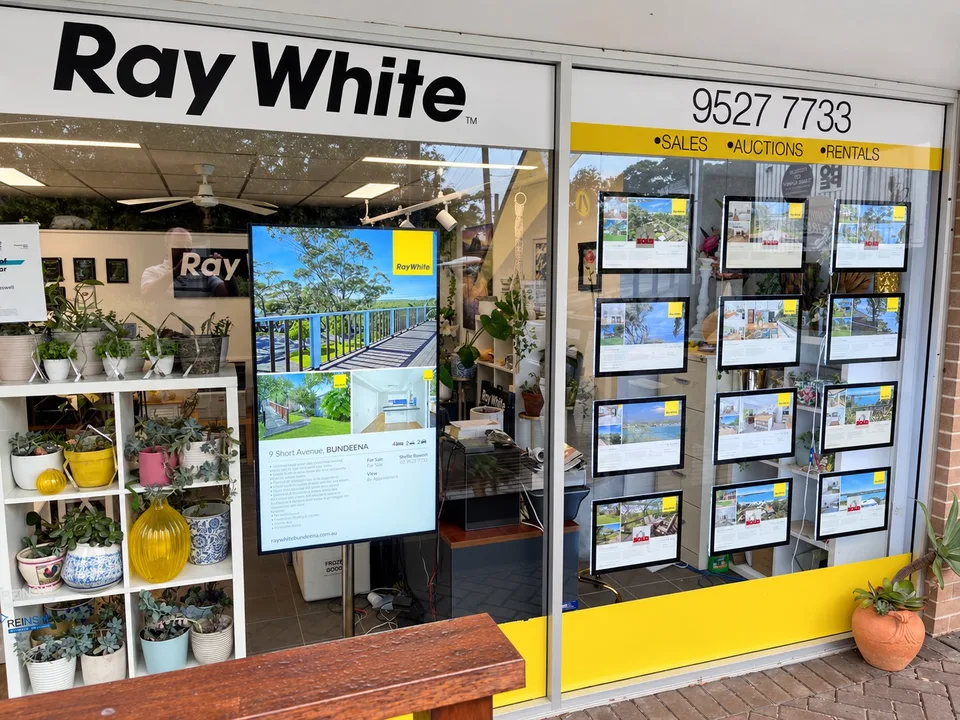
Ray White Bundeena in daylight: a portrait digital screen beside illuminated property cards, with reflections on the glass
Ray White Bundeena – Daylight and reflections on the shopfront glass demonstrate the viewing conditions that need to be considered when selecting a digital display.

How we assess suitability

Every shopfront presents different challenges. We assess your window’s orientation, sunlight exposure, reflections and surrounding environment before recommending a display.

If the conditions exceed an LCD screen’s operating limits, we’ll explain why it isn’t suitable, even if that was your original preference.

Where an LCD isn’t appropriate, we can explore alternatives, including direct-view LED displays. These have their own technical considerations, which we’ll explain before recommending a solution.

What we look at

  • Your window’s orientation. Which direction it faces, when it receives direct sunlight and what the surrounding street environment is like.
  • Google Street View. We examine your shopfront, nearby buildings and anything that may provide shade or contribute to reflections.
  • Neighbouring signage. Faded or sun-damaged signs can indicate prolonged exposure to strong sunlight and UV radiation.
  • The reflection test. Place a sheet of white paper behind your window and photograph it from outside. The visibility of the paper compared with reflections in the glass helps us assess how much screen brightness may be needed to overcome glare and keep your content clearly visible.

LCD or LED? Understanding the difference.

Digital window displays generally use one of two technologies: LCD screens or direct-view LED displays. Both can present digital content, but they create images differently and suit different viewing conditions, distances and types of content.

Choosing between them involves more than comparing brightness.

BacklightLiquidcrystal panelImage

High-brightness LCD displays

LCD displays use a liquid crystal panel illuminated by an LED backlight. Their high pixel density makes them particularly suitable for detailed property photography, floor plans, text and video viewed at relatively close distances.

Specialist high-brightness commercial LCD displays are designed for brighter environments than conventional televisions or standard commercial screens.

However, brightness alone does not establish suitability for direct sunlight. The panel, thermal management, operating temperature limits and installation environment must all be considered.

Key benefit
Detailed, high-resolution content.
Important consideration
Sunlight exposure and thermal suitability.
Direct-view LED displays

Direct-view LED displays create images using individual light-emitting pixels rather than an LCD panel with a separate backlight.

They are commonly assembled from modules and can be configured into larger display surfaces. They are particularly useful for bold promotional messages, agency branding, video and content intended to be viewed from greater distances.

The level of fine detail depends on pixel pitch, resolution and viewing distance. Direct-view LED displays also have environmental and thermal operating limits, and their suitability must be assessed against the intended installation conditions.

Key benefit
Large-format, high-impact digital presentation.
Important consideration
Pixel pitch, viewing distance and content detail.

Illustrations are conceptual and not to scale.

Why viewing distance matters for LED displays

Not all LED displays produce the same level of detail. The difference comes down to pixel pitch – the distance between neighbouring LED pixels, measured in millimetres.

The closer the pixels are together, the sharper the image can appear at shorter viewing distances. Displays with pixels spaced farther apart are generally better suited to larger images and bold messages viewed from a distance.

For example, an LED display might look impressive to motorists passing your agency, but the same screen may struggle to reproduce detailed property photographs, floor plans and small text for someone standing directly outside your window.

The right pixel pitch depends on who you’re trying to reach, how far away they’ll be and what you want them to see.

Finer pitchPixels are closer together, allowing finer detail to be reproduced at shorter viewing distances.

Larger pitchPixels are farther apart. Bold images and larger messages may remain effective from a distance, but fine detail becomes less suitable for close viewing.

Illustrations are conceptual and not to scale. Actual suitability depends on the display’s resolution, viewing distance, content and physical dimensions.

Don’t choose LED on brightness alone.

The recommendation also weighs:

  • Pixel pitch
  • Viewing distance
  • Content detail
  • Display size
  • Environmental conditions
  • Installation requirements

Step 3 – Content & campaigns

What message do you want to communicate?

Property listings, photography, floor plans, video and agency branding all place different demands on a display.

We consider what you want to show, who needs to see it and how frequently your content changes before recommending a solution.

Four things we consider

  • Property presentation

    Photography, floor plans, pricing and fine detail.

  • Agency marketing

    Branding, campaigns, video and social content.

  • Viewing distance

    Whether people stop to read or see your display in passing.

  • Content management

    How frequently content changes and whether updates can be automated.

Which technology suits your content?

Illuminated property cards

A classic, uniform presentation that keeps individual listings visible for people browsing your window.

Ideal for
Detailed listings and close-range viewing.
Consider
Cards are printed and updated manually.

High-brightness LCD

High-resolution digital displays for property listings, video and frequently changing content.

Ideal for
Detailed digital content and CRM-connected listings.
Consider
Sunlight and thermal suitability.

Direct-view LED

Modular displays suited to larger-format digital advertising and promotional messages.

Ideal for
Bold content viewed from farther away.
Consider
Pixel pitch and image detail.

Printing your own property cards? Explore our specialist backlit paper.

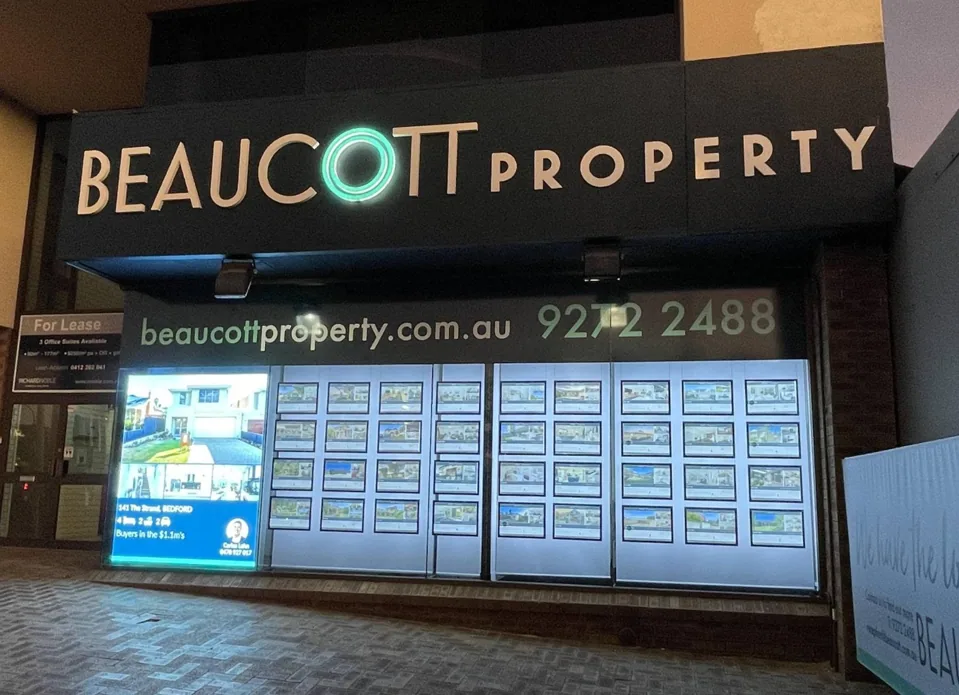
Beaucott Property shopfront at night: a landscape digital screen alongside rows of illuminated property cards
Two technologies in one window: a digital screen alongside rows of illuminated property cards.

Step 4 – Size & budget

Make the most of your space and investment.

Window dimensions and available budget influence the display technologies and configurations that can be considered.

Our approach is to match the overall display solution to the available space and budget, rather than simply recommending the largest or most expensive product.

Depending on your requirements, a combination of display technologies may deliver a more effective presentation than investing the entire budget in one display type.

What we plan around

  • Window width and height
  • Viewing distance
  • Number of listings to show
  • Display size, or card sizes from A4 to A0
  • Portrait or landscape layouts
  • One technology or a combination
  • Installation and running considerations
  • Your budget

Step 5 – Installation

A great display starts with the right installation plan.

A professional window display needs more than the right products. How everything is mounted, powered and positioned influences the appearance, reliability and practicality of the finished installation.

We consider your window structure, fixing points, electrical requirements, cable routing and access before finalising the design. Planning these details early helps avoid unexpected complications and ensures the installation can be carried out as intended.

Raine & Horne Mosman shopfront: a digital screen in one window and LED Slimline property cards in the other
Raine & Horne Mosman – A digital screen and LED Slimline property cards fitted within the existing shopfront windows.

What we plan for

  • Structural support: Window construction, fixing locations and suspension requirements.
  • Power and connectivity: Electrical supply, cable management and network connections where required.
  • Operating environment: Heat, ventilation and access for ongoing maintenance.
  • Installation logistics: Site access, building restrictions and coordination of installation works.

Our design process brings these considerations together in detailed drawings, so you can review the proposed installation before manufacturing begins.

The outcome of the assessment

We can recommend the right display for your agency.

We consider your window, your audience and your marketing objectives to identify the most suitable solution. Whether it’s illuminated property cards, digital screens or a combination of both, we’ll help you create a professional presentation that complements your shopfront and reflects your agency’s brand.

What matters most to your agency?

  • Want a classic illuminated window?

    Consider LED Slimline for a clean, consistent property-card presentation that remains illuminated after dark.

  • Prefer printed property cards without powered holders?

    Explore Clearview Magnetic or Slimline Floor to Ceiling for a professional presentation without integrated electrical illumination.

  • Need video and regularly updated listings?

    High-brightness digital screens can showcase property videos, marketing campaigns and CRM-connected listing information.

  • Want bold messages visible from a distance?

    Direct-view LED may be worth considering for larger promotional graphics and agency branding, subject to viewing distance, content and installation suitability.

These are starting points. The final recommendation depends on your window, viewing conditions, content and available space.

How the systems compare
SystemViewingContentUpdatingInstallationBest suited to
LED SlimlineClose-range viewing from the footpath, day and night; double-sided holders face inside and outPrinted property cards on backlit paperYour team prints and swaps cardsHolders on slim vertical wires that also carry power, fixed to tracks on the ceiling or mullionsA uniform, illuminated listing window
Clearview MagneticClose-range viewing; cards can face both sides of the glassProperty cards on standard paperHolders are easy to reach, so cards change quicklyMagnetic holders fitted to the inside of the window, with no power, cables or hanging wiresA low-maintenance display that keeps the reception floor clear
Slimline Floor to CeilingClose-range viewing in an open, frameless layout; double-sided presentationPrinted property cards in clear, non-illuminated acrylic holdersYour team prints and swaps cardsAcrylic sleeves on stainless steel wires with adjustable fittings; lighting is a separate optionAn open, uncluttered window without internal illumination
Digital screensViewing from the footpath and further away, where the window’s light conditions suit the displayListings, agent profiles, video and campaignsSoftware connected to leading real estate CRMs publishes and updates listings (we confirm compatibility with your CRM)High-brightness displays, portrait or landscape, single or multiple; power and a network connectionChanging content and video alongside your printed listings

Not sure which option suits your office?

That’s what we’re here to help you work out.

Plan your window display

Tell us about your agency. We’ll help design the right display.

You don’t need to choose the technology yourself. Tell us about your office, your window and what you’d like to achieve. We’ll help assess the conditions, recommend suitable display options and plan a layout that complements your branding.

From initial design through manufacturing and installation, Real Estate Displays can help bring your complete presentation together.

Useful to include

  • A straight-on photograph of the whole frontage
  • Approximate window dimensions and the direction it faces
  • Your office location
  • The number and size of cards you would like to show
  • Any existing displays you want to keep

The enquiry form prepares an email for you to review and send.